Select your country to view prices and course dates.

x

Recent Searches
Category

Microsoft Copilot Courses

Category

Microsoft Power BI

Category

AI for Business

Category

Microsoft Excel

Category

Professional Development

Category

Microsoft Office 365

Category

Excel Specialist

Category

Microsoft Project

Category

R Programming

Category

Python

Category

SQL

Category

Power Apps

Category

SharePoint

Category

Power Automate

Category

Microsoft Teams

Category

Microsoft Visio

Category

Microsoft PowerPoint

Category

Microsoft Word

Category

Microsoft Outlook

Category

Adobe InDesign Courses

Category

Adobe Photoshop Courses

Category

Adobe Illustrator Courses

Category

Adobe Premiere Pro Training

Category

Adobe After Effects Training

Category

Adobe Acrobat Courses

Category

Adobe Captivate Training

Category

Adobe Animate Training

Category

HTML Courses

Category

WordPress

Category

Canva Courses

Category

Microsoft Access

Category

Webinars

Course

Copilot for M365

Course

Power BI Beginner

Course

ChatGPT Beginner

Course

Excel Beginner

Course

Achieving Leadership & Success

Course

Microsoft 365 Beginner

Course

Financial Modelling

Course

Project Beginner

Course

R Programming Beginner

Course

Python Beginner

Course

SQL Beginner

Course

Power Apps Beginner

Course

SharePoint Beginner

Course

Teams Essentials

Course

Visio Essentials

Course

PowerPoint Level 1

Course

Word Beginner

Course

Microsoft Outlook Beginner

Course

InDesign Lite

Course

Photoshop Training Intro

Course

Illustrator Training Intro

Course

Premiere Training Intro

Course

After Effects Training Intro

Course

Acrobat Essentials

Course

Captivate Training

Course

Animate Training Intro

Course

HTML Training Intro

Course

WordPress Essentials

Course

Canva Beginners

Course

Microsoft Access Essentials

Course

Copilot for Word

Course

Power BI Intermediate

Course

Excel Intermediate

Course

Microsoft 365 Intermediate

Course

Analysis and Dashboards

Course

Project Intermediate

Course

R Programming Intermediate

Course

Python Intermediate

Course

SQL Intermediate

Course

Power Apps Intermediate

Course

SharePoint Intermediate

Course

PowerPoint Level 2

Course

Word Intermediate

Course

InDesign Training Intro

Course

Photoshop Lite

Course

Illustrator Training Advanced

Course

Premiere Basics Training

Course

Acrobat Forms

Course

Canva Intermediate

Course

Microsoft Access Advanced

Course

Copilot for Excel

Course

Power BI Advanced

Course

Excel Advanced

Course

Microsoft 365 Advanced

Course

Excel VBA

Course

Project Advanced

Course

R Programming Advanced

Course

Python Advanced

Course

SQL Advanced

Course

Power Apps Advanced

Course

SharePoint Advanced (Site Owner)

Course

Word Advanced

Course

InDesign Training Advanced

Course

Photoshop Training Advanced

Course

Advanced Premiere Training

Course

Advanced After Effects Training

Course

Canva Advanced

Course

Copilot for PowerPoint

Course

Power BI DAX

Course

Excel Expert

Course

Machine Learning in R

Course

SharePoint Advanced (Document Governance)

Course

InDesign Interactivity Training

Course

Copilot for Outlook and Teams

Course

InDesign Accessibility Training

Course

Power Automate Beginner

Course

Power Automate Intermediate

Course

Microsoft Outlook Advanced

Course

AI Prompting Fundamentals

Course

Power Automate Advanced

Course

Excel Tables and Pivot Tables

Course

Data Transformation with Power Query

Course

Excel Macro Mastery

Course

Power BI Desktop Advanced Reporting

Course

AI for Business Leaders and Managers

Course

Data Visualisation with Power BI Desktop

Course

Anger Management & Negotiation Skills

Course

Assertiveness & Confidence

Course

Building Resilience

Course

Coaching and Mentoring

Course

Communications

Course

Communications & Quality Client Service Training

Course

Critical Thinking and Problem Solving

Course

Cultural Diversity in the Workplace

Course

Embracing Change

Course

Growing Emotional Intelligence

Course

Minute Taking

Course

Persuasion and Negotiation Skills

Course

Presentation Skills and Public Speaking

Course

Practical Project Management

Course

Respect, Equity and Diversity (RED)

Course

Resumé Writing and Interview Skills

Course

Stress Management

Course

Team Leadership, Management and Development

Course

Time Management Intensive

Course

Train the Trainer

Course

Write Effective Business Documents

Course

Dealing with Difficult People

Course

Managing Difficult Conversations

Course

Managing the Virtual Workplace

What is New Microsoft Teams

Hannah Pearson | Oct 11, 2021
nexacu microsoft teams

Teams Update

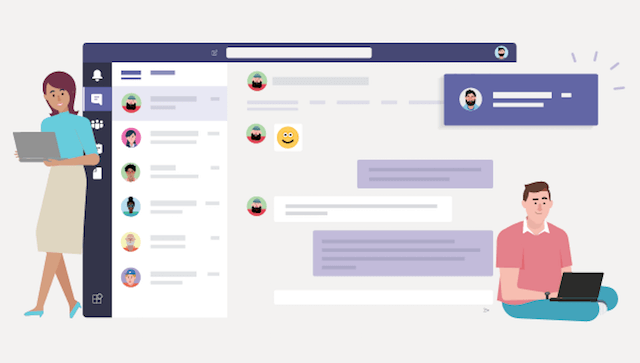
Microsoft is constantly updating and innovating their products – including Teams, the collaboration application that skyrocketed in popularity during the Coronavirus pandemic.


Integration

PowerPoint

Microsoft understands that to streamline the working experience and maximise efficiency, integration between apps is essential. Presentations created in PowerPoint can now be presented directly through teams using the innovative ‘Present in Teams’ button. It can be found in the top right-hand corner under the Slide Show tab. Rather than sharing your screen to present, which can lead to unnecessary complications, use the updated tool for a seamless experience.


Apple Car Play

Those on the go will appreciate the integration of Teams into Apple CarPlay. Like other applications, the teams icon will appear on the CarPlay screen or you can even use voice command through Siri. You can even find your call history, send messages, or make a call. To support safety, only audio mode is available.

 Microsoft Teams Apple Car Play


Newly Certified Devices

People will also work better and enjoy their work more using tools they like. Microsoft works tirelessly to provide connection and integration between external devices such as speakers and headphones to optimise the Teams experience. You can now use the fingertip controls on the Logitech Zone Wired Earbuds during meetings. The sleekly designed earbuds also have noise-cancelling mic technology that provides clear audio to your fellow participants. Logitech has also designed the Rally Bar and Rally Bar mini with tap touch controller, both of which are perfect for a seamless meetings experience.

Microsoft Teams Logitech Devices

Updated Features

Breakout Rooms

Breakout rooms were the breakout hit of 2020, effortlessly allowing collaboration in subgroups. To make it even easier for meeting hosts, Microsoft have updated the Breakout room panel. You can now sort by participant or rooms as well as being able to select multiple participants and use check boxes to assign them to rooms. This speeds up the assignment process substantially.


Safari

For apple users, Microsoft have developed their software to allow a 2x2 Gallery view in Safari. Users can now show up to 4 participants streams during a meeting.


Live Events

If your event runs into an error or it is accidentally ended, there is now a way to restart quickly (this feature is available to the producer only). It is now also possible to have up to 100,000 attendees at the event, subject to engagement of the Microsoft LEAP team who can aid with producing and delivering your event.


Viewing Experience

Teams automatically adjusts the layout of the screen and of the videos of the participants in the meeting for optimal viewing experience, prioritising speakers. Teams will now allow you to customise the viewing experience to suit your needs and preferences. You can also spotlight multiple participants, showing the spotlighted participants to everyone on the front of room display and in the gallery. Users can choose who to pin using the centre of room console and have the flexibility to see up to 9 streams simultaneously, further improving the remote experience.


Chat and Collaboration

Teams biggest strength is how it streamlined the remote collaboration experience. Chat played a significant role in this. Although the standard chat experience is adequate, Microsoft is not satisfied and has continually looked for a way to improve it. These updates are driven by user feedback, as users have a unique perspective. Providing this feedback has just become easier on mobile, with a dedicated ‘Help & Feedback’ option in settings, eliminating the old email message system.

Chat messages can now be pinned, providing easy access to important chats and files. This will keep your team in sync and avoid any confusion. You can also avoid confusion by replying to specific messages in teams. The original message will be displayed at the top of the new message, keeping everyone in the loop and providing context to the new message.

To learn how to effectively use Teams, please see our Teams Training Courses

This article was adapted from a Microsoft post. Images are attributable to Interlinked and Microsoft.

Trusted Globally by Leading Organisations

At Nexacu, we are proud to be the trusted training partner for hundreds of leading organisations across Australia, New Zealand, and around the world. From government agencies to multinational corporations, we help teams build practical skills and achieve real outcomes through expert-led training.

  • 400+ companies rely on Nexacu for workforce development
  • Trusted by government agencies at all levels
  • Delivering training across 9 countries and growing

Why Nexacu? 

step by step courseware

Step by Step Courseware

Custom workbook included with a step by step exercises

Facility Image 2
Facility Image 3
Facility Image 1

Interactive real time training

Interactive, Real-Time Training

Learn with expert instructors, wherever you are

Trusted by Business

Trusted by Business

Procured by Government

Procured by Goverment

Reviews Not Found

Valued by Individuals