Select your country to view prices and course dates.

x

Recent Searches
Category

Microsoft Copilot Courses

Category

Microsoft Power BI

Category

AI for Business

Category

Microsoft Excel

Category

Professional Development

Category

Microsoft Office 365

Category

Excel Specialist

Category

Microsoft Project

Category

R Programming

Category

Python

Category

SQL

Category

Power Apps

Category

SharePoint

Category

Power Automate

Category

Microsoft Teams

Category

Microsoft Visio

Category

Microsoft PowerPoint

Category

Microsoft Word

Category

Microsoft Outlook

Category

Adobe InDesign Courses

Category

Adobe Photoshop Courses

Category

Adobe Illustrator Courses

Category

Adobe Premiere Pro Training

Category

Adobe After Effects Training

Category

Adobe Acrobat Courses

Category

Adobe Captivate Training

Category

Adobe Animate Training

Category

HTML Courses

Category

WordPress

Category

Canva Courses

Category

Microsoft Access

Category

Webinars

Course

Copilot for M365

Course

Power BI Beginner

Course

ChatGPT Beginner

Course

Excel Beginner

Course

Achieving Leadership & Success

Course

Microsoft 365 Beginner

Course

Financial Modelling

Course

Project Beginner

Course

R Programming Beginner

Course

Python Beginner

Course

SQL Beginner

Course

Power Apps Beginner

Course

SharePoint Beginner

Course

Teams Essentials

Course

Visio Essentials

Course

PowerPoint Level 1

Course

Word Beginner

Course

Microsoft Outlook Beginner

Course

InDesign Lite

Course

Photoshop Training Intro

Course

Illustrator Training Intro

Course

Premiere Training Intro

Course

After Effects Training Intro

Course

Acrobat Essentials

Course

Captivate Training

Course

Animate Training Intro

Course

HTML Training Intro

Course

WordPress Essentials

Course

Canva Beginners

Course

Microsoft Access Essentials

Course

Copilot for Word

Course

Power BI Intermediate

Course

Excel Intermediate

Course

Microsoft 365 Intermediate

Course

Analysis and Dashboards

Course

Project Intermediate

Course

R Programming Intermediate

Course

Python Intermediate

Course

SQL Intermediate

Course

Power Apps Intermediate

Course

SharePoint Intermediate

Course

PowerPoint Level 2

Course

Word Intermediate

Course

InDesign Training Intro

Course

Photoshop Lite

Course

Illustrator Training Advanced

Course

Premiere Basics Training

Course

Acrobat Forms

Course

Canva Intermediate

Course

Microsoft Access Advanced

Course

Copilot for Excel

Course

Power BI Advanced

Course

Excel Advanced

Course

Microsoft 365 Advanced

Course

Excel VBA

Course

Project Advanced

Course

R Programming Advanced

Course

Python Advanced

Course

SQL Advanced

Course

Power Apps Advanced

Course

SharePoint Advanced (Site Owner)

Course

Word Advanced

Course

InDesign Training Advanced

Course

Photoshop Training Advanced

Course

Advanced Premiere Training

Course

Advanced After Effects Training

Course

Canva Advanced

Course

Copilot for PowerPoint

Course

Power BI DAX

Course

Excel Expert

Course

Machine Learning in R

Course

SharePoint Advanced (Document Governance)

Course

InDesign Interactivity Training

Course

Copilot for Outlook and Teams

Course

InDesign Accessibility Training

Course

Power Automate Beginner

Course

Power Automate Intermediate

Course

Microsoft Outlook Advanced

Course

AI Prompting Fundamentals

Course

Power Automate Advanced

Course

Excel Tables and Pivot Tables

Course

Data Transformation with Power Query

Course

Excel Macro Mastery

Course

Power BI Desktop Advanced Reporting

Course

AI for Business Leaders and Managers

Course

Data Visualisation with Power BI Desktop

Course

Anger Management & Negotiation Skills

Course

Assertiveness & Confidence

Course

Building Resilience

Course

Coaching and Mentoring

Course

Communications

Course

Communications & Quality Client Service Training

Course

Critical Thinking and Problem Solving

Course

Cultural Diversity in the Workplace

Course

Embracing Change

Course

Growing Emotional Intelligence

Course

Minute Taking

Course

Persuasion and Negotiation Skills

Course

Presentation Skills and Public Speaking

Course

Practical Project Management

Course

Respect, Equity and Diversity (RED)

Course

Resumé Writing and Interview Skills

Course

Stress Management

Course

Team Leadership, Management and Development

Course

Time Management Intensive

Course

Train the Trainer

Course

Write Effective Business Documents

Course

Dealing with Difficult People

Course

Managing Difficult Conversations

Course

Managing the Virtual Workplace

Course Category Icon

Digital Literacy Certification

4.71
(1,045)
Face-to-Face or Live Online

Earn your Digital Literacy Certification and stay current in today's work environment. Gain valuable skills and understanding of programs across the Microsoft suite. Elevate your core competencies from Word to Power BI. Attend our instructor-led courses live online and learn from our team of experienced Microsoft Certified Trainers.

Certification:

Nexacu
Digital Literacy

Exam:

Course
Attendance

Cost: Select a country to view pricing
Duration:

4 - 6 weeks

Inclusions:

6 Instructor-led courses


Develop and showcase your proficiency across programs essential for digital work. 


Our Digital Literacy Package is designed to equip students with a broad range of knowledge and skills across the Microsoft suite. This package offers the opportunity to enhance student’s digital literacy, developing confidence in an array of areas. The courses provide a foundational to intermediate level of knowledge in the most used applications in today’s workplace. Showcase your achievements and build your professional profile with this verifiable digital credential.


Solidify critical skills in a supportive and flexible learning program. 

Bringing together fundamental courses in Excel, Word and PowerPoint with our innovative Power BI and Office 365 content offers an effective and distinctive approach to digital upskilling. This combination allows participants to not only master the basics but also go on to elevate their newfound literacy through the introduction of more complex and cutting-edge skills. Our more innovative courses are built to deliver in-demand skills for today’s workforce. Our experienced instructors will guide you through your program and be their to answer any questions you have along the way. 


Learn from leaders in the industry. 

Nexacu are industry leaders providing Microsoft End User training across Australia and South East Asia. We invest in our team and our courses to deliver effective training to all of our students. Our trainers are passionate about teaching students how to use technology effectively to improve their productivity in the workplace and open up new possibilities and opportunities.
 

Available now across South-East Asia. 

Nexacu's Digital Literacy Course is now available remotely across south-east Asia. Allowing for flexibility in the speed and location at which you you choose to complete your Certification. Our remote courses are all instructor-led and conducted live online. No matter where you login from your training experience will be supported by our experienced Trainers, who will answer any questions, guide practical learning, and maximise learning outcomes.

  • excel training courses nexacu

    Excel Beginner
    Learn how to analyse, share and manage your day-to-day data using Excel spreadsheets.

  • Time line dot Practice exercises
    Apply and extend your by completing the supplementary exercises and recourses provided.
  • word training courses nexacu

    Word Intermediate 
    Master in-built tools to create professional formatting themes, work with tables, shapes and images and more.

  • Time line dot Support and Consulting
    Contact your expert instructor for help with any of your questions.
  • powerpoint training courses nexacu

    PowerPoint Intermediate
    Learn to create professional presentations with PowerPoint.

  • Time line dot Student Portal
    Our student portal allows you to track and manage your courses and progress.
  • excel training courses nexacu

    Excel Intermediate
    Learn how to create complex formulas, use a range of functions and develop dynamic charts and reports.

  • Time line dot Course Resit 
    Nexacu offer free course resits, within 6 months of first attending.
  • Microsoft 365 Beginner
    Be introduced to; Teams, SharePoint, Power Automate, Planner, OneNote and Office Online, providing you a strong foundational knowledge.

  • Time line dot Consult with coordinators
    Chat with our certified trainers about any questions or queries you encounter.
  • Power BI Beginner
    Learn how to create powerful interactive dashboards, custom reports, analyse data and share insights. 

  • Digital Credential
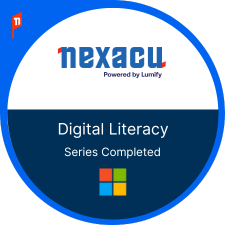
    Students who have completed all courses will be awarded a series completion digital badge.

  • Time line dot

Your Learning Journey

Contact Us

Can’t find a suitable date or have questions about the course? Fill out the form below, and our team will get back to you promptly.

Instructor-led training
Additional materials provided
Flexible booking dates
Access to content library
Access to Microsoft Certified Trainers
Free course support
Excel Beginner
Word Intermediate
PowerPoint Intermediate
Excel Intermediate
Office 365 Beginner
Power BI Beginner

Frequently Asked Questions

How do I enrol in the Digital Literacy Package?

Click on the Book Now button above. Then choose dates that suit you to attend the instructor-led classes. Students should book into the classes in the recommended order above. We recommend that students spread the courses over a few weeks and practice in between classes to consolidate their learning.

What happens after I have enrolled in a certification pathway?

Once you have made a booking and payment, you will receive a welcoming email with essential information and the key contacts for your course. In addition, this will give you access to support and consulting with Nexacu's expert trainers. You will also be provided with access to additional learning materials resources hosted on our dedicated SharePoint site.

When will I be awarded the credential?

Your badge will be issued on the Credly platform once you have completed all six courses. This badge will be ready to share on LinkedIn and can be verified through Blockchain.

Who should enroll in the Digital Literacy Programme?

This package is comprised of carefully selected instructor-led courses to bring participants up to speed with key applications used in workplaces around the globe. Those seeking to upskill, stay current and gain confidence in their technical skills will be well suited to this programme.

Your Learning Journey

Trusted Globally by Leading Organisations

At Nexacu, we are proud to be the trusted training partner for hundreds of leading organisations across Australia, New Zealand, and around the world. From government agencies to multinational corporations, we help teams build practical skills and achieve real outcomes through expert-led training.

  • 400+ companies rely on Nexacu for workforce development
  • Trusted by government agencies at all levels
  • Delivering training across 9 countries and growing

Why Nexacu? 

step by step courseware

Step by Step Courseware

Custom workbook included with a step by step exercises

Facility Image 2
Facility Image 3
Facility Image 1

Interactive real time training

Interactive, Real-Time Training

Learn with expert instructors, wherever you are

Trusted by Business

Trusted by Business

Procured by Government

Procured by Goverment

Reviews Not Found

Valued by Individuals